
The Best Way to Share High Resolution Photos With Clients
A practical workflow for sending high-resolution photos to clients without lowering quality or creating a confusing download experience.
Recommendations
4 min read

Published June 16, 2026 | 5 min read
Password protected file transfer for photographers means sending client files through a delivery link that asks for a password before the files are shown or downloaded. With Gampi Simple Transfer, photographers can add a password and expiration window to a clean client download page without forcing clients into a complex portal.
A password-protected transfer is a private delivery link plus a shared password. The link points to the delivery page, and the password acts as a simple access check before the client can view previews or download originals.
Use a password when the file package should not be easy to open by anyone who receives a forwarded link.
Not every workflow needs a password. Adding one helps privacy, but it also adds one more step for the client.
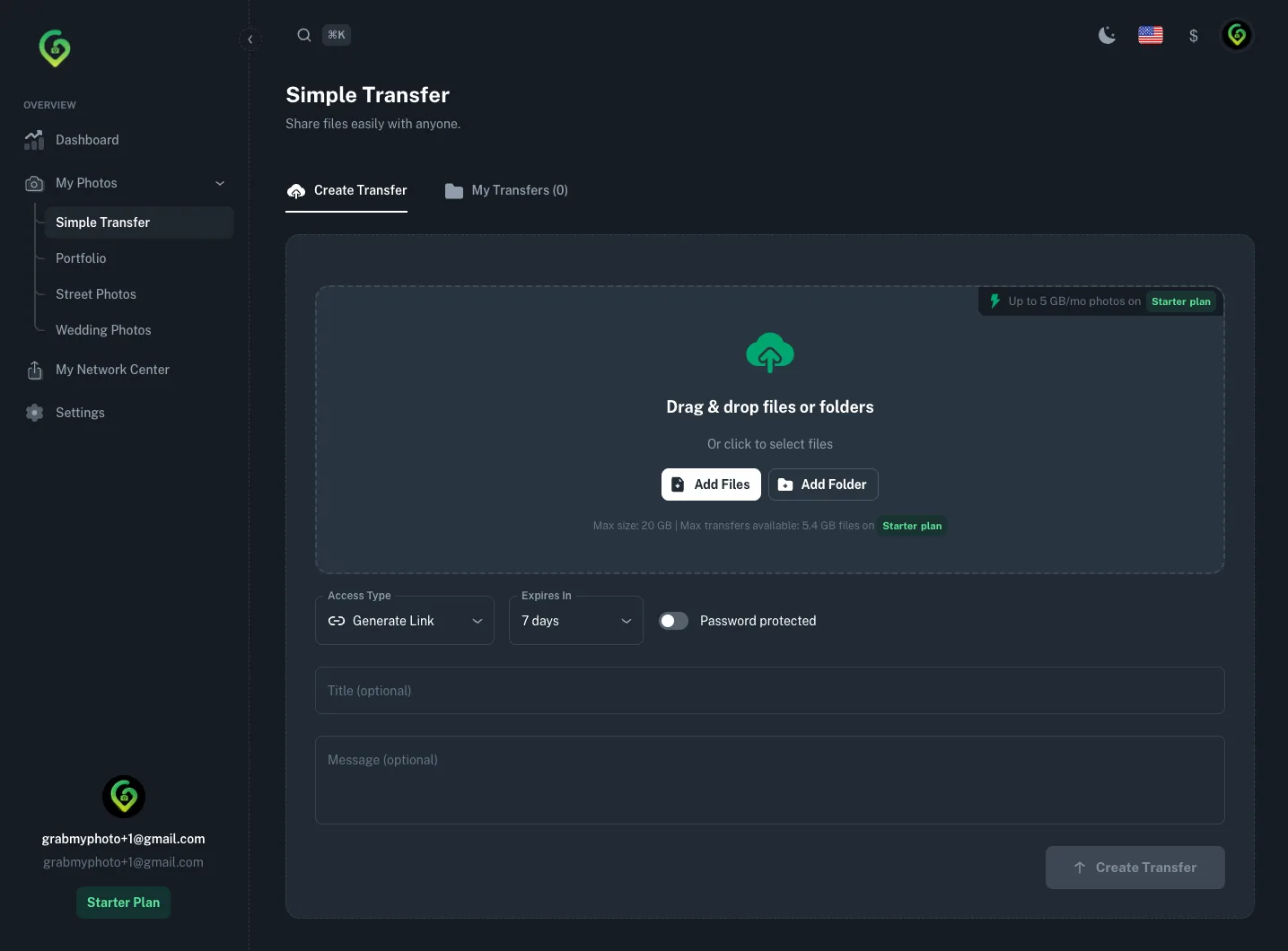 Password protection and expiration work best together when the delivery should stay limited to one client or a short review window.
Access method | Best use case |
|---|---|
Direct link | Fast delivery for low-risk files or clients who need the fewest steps. |
Email delivery | Named recipients and projects where the delivery should arrive in the client inbox. |
Password-protected link | Private portraits, paid packages, commercial files, or transfers that may be forwarded. |
Expiration window | Temporary review, limited campaigns, or files that should not remain available indefinitely. |
Gallery or portal | Proofing, favorites, purchases, and longer client collaboration. |
For sensitive work, do not send the link and password in the exact same message. Separation is simple, but it reduces the chance that one forwarded email gives full access.
Expiration is not a replacement for judgment, but it keeps temporary delivery links from staying open longer than needed. The current Simple Transfer upload form includes preset windows for 1, 3, 7, 30, 60, and 365 days.
Password protection should not reduce image quality. In a good transfer flow, previews are optimized for quick viewing, while downloads use the original files the client is meant to receive.
For the broader workflow, read Simple Transfer for photographers and client file delivery for photographers. For data-handling details, review the Gampi privacy policy.
Create a clean delivery link for photos, videos, RAW files, folders, and client documents with optional password protection and expiration.
Use a private delivery link with optional password protection, an expiration window, clear client instructions, and original-quality downloads. For sensitive projects, send the password separately from the link.
Use a password for private portraits, paid packages, commercial files, sensitive events, or any transfer that could be forwarded. For low-risk files, a direct expiring link may be enough.
Sometimes. A direct link can be enough for low-risk or short-lived delivery, but password protection is better when the content is private, paid, or commercially sensitive.
Send the delivery link and password in separate channels when the project is sensitive, such as email for the link and SMS or direct message for the password.
No. Password protection controls access. The download should still provide original-quality files, while previews can be optimized for fast viewing.
A practical workflow for sending high-resolution photos to clients without lowering quality or creating a confusing download experience.
A repeatable process for draft review, client feedback, final gallery delivery, and downloadable handoff packages.
Use one clean delivery link for large video files instead of scattered folders, email threads, and repeated transfer attempts.